
(v2.4.1 – Updated Dec 2025)
RiskPay WHMCS
Payment Gateway Module
Empower your WHMCS-based business to accept credit card payments seamlessly while receiving instant, stable USDC payouts on the Polygon network. Eliminate chargeback risks, enjoy the lowest fees, and automate your invoicing—all with our free, fully integrated module (v2.4.1, updated Dec 2025).
The trusted WHMCS payment gateway powering fast-growing e-commerce brands, hosting companies, SaaS providers, digital agencies, and freelancers. Accept Visa, Mastercard, and more while getting paid instantly in USDC on Polygon—no delays, no disputes.
Key Benefits of the RiskPay WHMCS Credit Card Payment Gateway
RiskPay is the #1 payment gateway for hosting companies, SaaS, digital agencies, and freelancers who want to accept credit/debit cards while getting paid instantly in stablecoin (USDC on Polygon).

Instant Settlement
Receive USDC payouts on Polygon in under 60 seconds. No more waiting for bank transfers.

Zero Chargeback Risk
Goodbye to disputes, reversals, and losses—your payouts are secure in stablecoin.

Crypto Payments Speed
Process Visa, Mastercard, Apple Pay, Google Pay worldwide with crypto-speed efficiency.

Low, Transparent Fee
No high processing fees. Just clean pricing that scales with you.

WHMCS-Native, Ready in Minutes
Our official WHMCS module is completely free, takes less than 5 minutes to install, and works with WHMCS 8.5+
Why Choose RiskPay for Your WHMCS Payment Gateway in 2026?
Thousands of WHMCS users trust RiskPay for its reliability in accepting credit cards with instant crypto payouts. Here's what sets us apart:
| Feature | RiskPay | Traditional Gateways (e.g., Stripe, PayPal) |
|---|---|---|
| Payout Speed | Instant USDC on Polygon | 2-7 days via bank |
| Chargeback Liability | Zero—handled by issuer | High risk of losses |
| Rolling Reserve | No rolling reserve—receive your payouts instantly | Traditional gateways often impose rolling reserves (e.g., 5-10% held for 6-12 months) |
| KYC for Payouts | None—just Polygon address | Required, with delays |
| Compliance | PCI DSS Level 1 | Varies |
| Multiple Gateways | Choose from 20+ on-ramp providers | Just one single gateway |
Prerequisites for Installing the RiskPay WHMCS Payment Module
Before setting up your WHMCS credit card payment gateway with USDC payouts, ensure you have:


WHMCS version 8.5 or higher
Compatible with all modern WHMCS versions including 8.11+ (2025)

FTP/SFTP access to your WHMCS installation
FileZilla, WinSCP, or any FTP client will work.

A Polygon wallet that can receive USDC
MetaMask, Trust Wallet, Coinbase Wallet, or any compatible wallet.
Step-by-Step Guide: Install RiskPay WHMCS Payment Gateway Module
Download the Module
Get the latest v2.4.1 from our secure link.
Upload Files via FTP
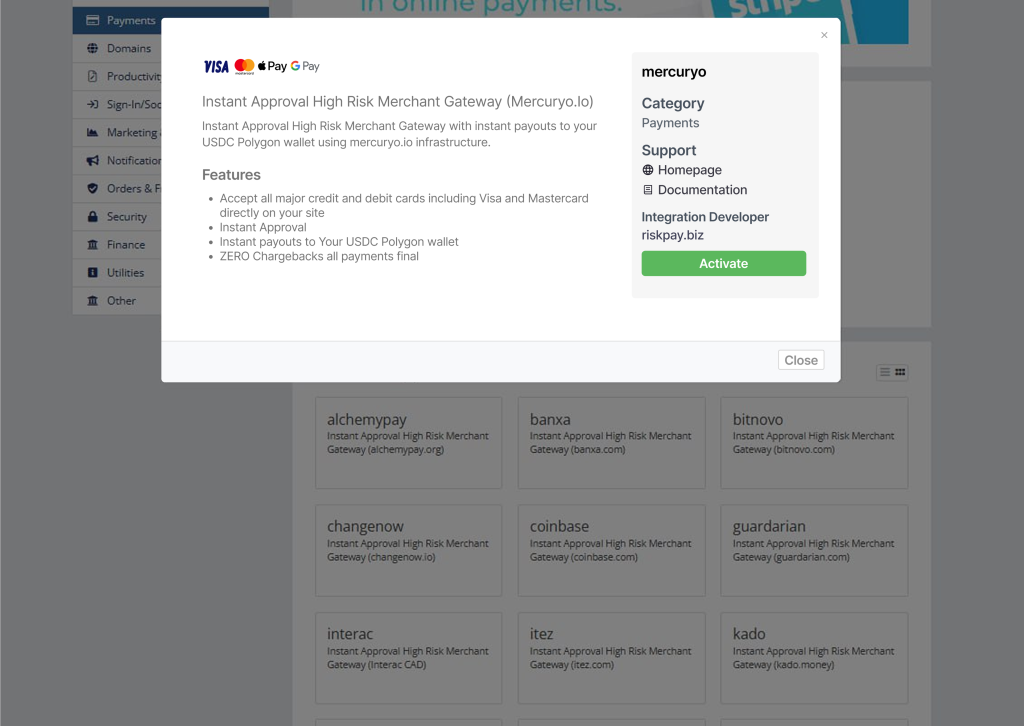
Activate & Configure in WHMCS Admin
Display Name: Credit Card (Instant Crypto Payout) (recommended)
Polygon USDC Wallet Address: Paste your personal USDC Polygon receiving address (must be Polygon network!)
Test Mode: Enable for testing (optional)
Convert To For Processing: Leave blank or set to USD
Done! Test & Go Live
Done! The gateway will now appear on client checkout pages.
Troubleshooting Common Issues with RiskPay WHMCS Module
Invalid wallet address?
Ensure it's a Polygon network address (starts with 0x). Verify on Polygonscan.com.
Gateway not showing?
Check module upload path and WHMCS version compatibility. Clear cache if needed.
Payment Not Processing?
Confirm Test Mode is off and your RiskPay account is active.
Still stuck?
You ask, we answer
Most Common
Questions
Ready to start accepting credit cards with instant crypto payouts?